



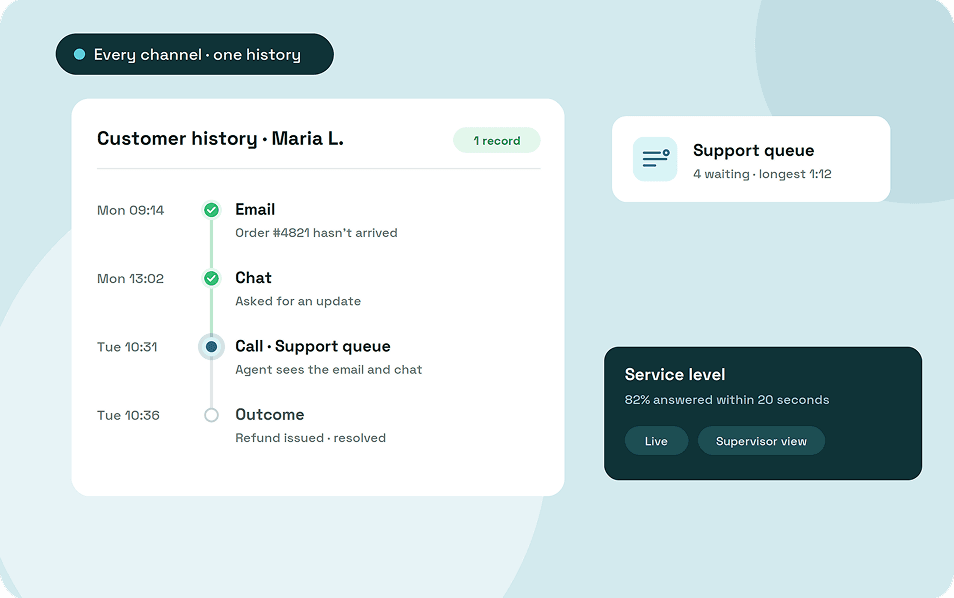
A contact center is the team and technology a business uses to handle customer conversations across phone, chat, email, SMS, and social messaging. It routes each conversation to the right agent, keeps the customer's history in one place, and shows supervisors how the team is keeping up.
This guide explains how a contact center works, the main types, the people and technology behind it, the rules that apply, and what to check before you choose a platform.
Key takeaways
- A contact center handles phone and written channels, while a call center handles phone only.
- Routing, queues, a shared customer history and live supervisor views are what turn a shared inbox or phone line into a contact center.
- Contact centers vary by call direction, who runs them, where the software runs, and how well channels connect.
- Outbound calling has legal limits on calling hours, consent and abandoned calls.
- Check for minimum seats, auto-renewing contracts and features sold as add-ons before you sign.
What is a contact center?
A contact center is an operation that manages customer conversations across every channel a business supports. It combines the people who handle those conversations, the rules for who handles what, and the software that connects them.
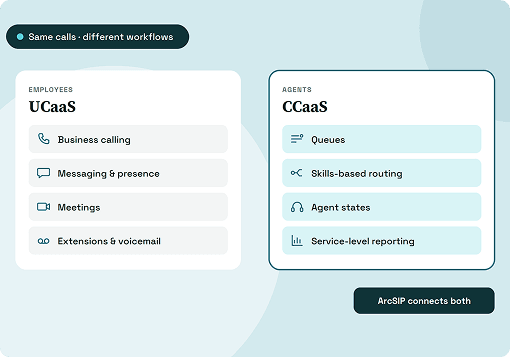
The software side is also called contact center software or CCaaS (contact center as a service), the cloud version paid for by subscription. Support teams, sales teams, clinics, banks, retailers and booking desks all run contact centers, whether they have five agents or five hundred.
Contact center vs call center
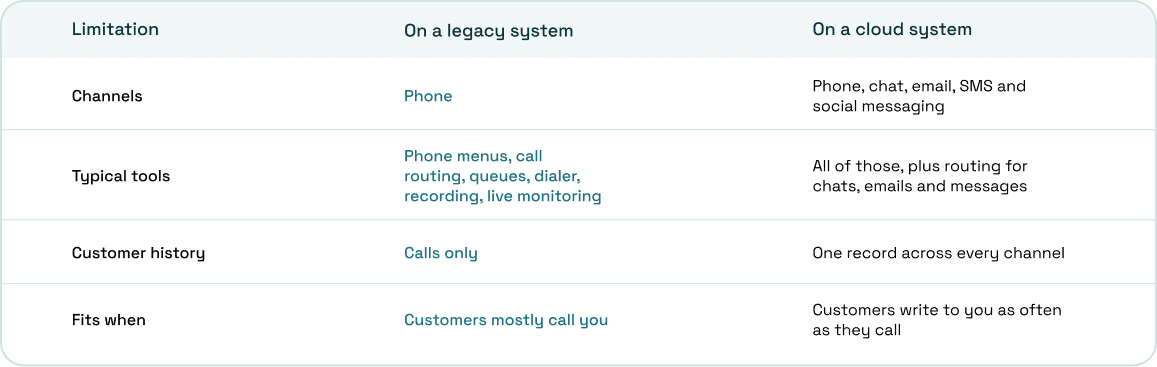
The difference is channels. A call center handles voice, while a contact center adds written channels and ideally keeps one history per customer across all of them.
A team can start as a call center and add channels once customers ask for them. The phone tools stay at the core either way.
How a contact center works
Every conversation follows a path that you set up in advance. Here's what happens when a customer gets in touch.
- The customer calls, starts a chat, sends an email or messages you.
- The system checks business hours and routes the contact, using a phone menu, a chat greeting or rules based on the email address.
- The contact joins a queue for the right team.
- The system sends it to an available agent, based on rules you choose.
- The agent sees the customer's details and past conversations on every channel, then responds, transfers or escalates.
- The agent records the outcome, and the conversation is saved to the customer's history.
- Supervisors see the queue, wait times and agent status live, and reports update.
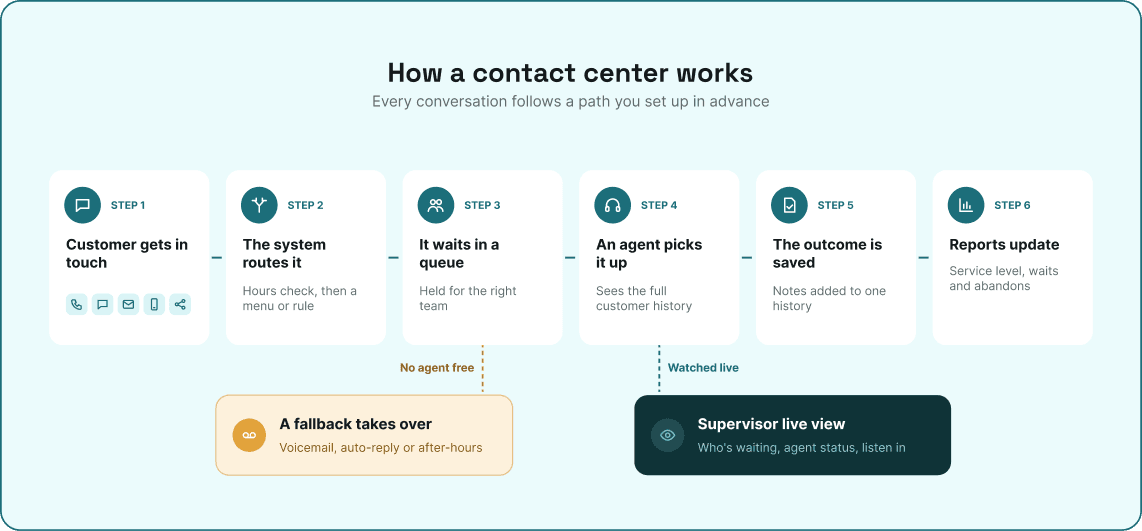
If nobody is available, a fallback takes over, such as voicemail, an auto-reply or an after-hours message.
Types of contact centers
Contact centers differ by the direction of contact, who runs them, where the software lives, and how well the channels connect. A single team can fit several types at once.
1. Inbound, outbound and blended
Inbound contact centers handle customers who reach out, such as a support line or a help desk. Outbound centers make contact for sales, collections or reminders, and blended teams do both.
2. In-house or outsourced
An in-house contact center is staffed by your own employees. An outsourced one is run by a third party on your behalf, and some businesses split the work, keeping complex cases in-house.
3. On-premises, hosted or cloud
On-premises systems run on servers in your building, while hosted systems run on a vendor's servers set up for you. Cloud contact centers run on the provider's shared platform and are paid for per user each month.
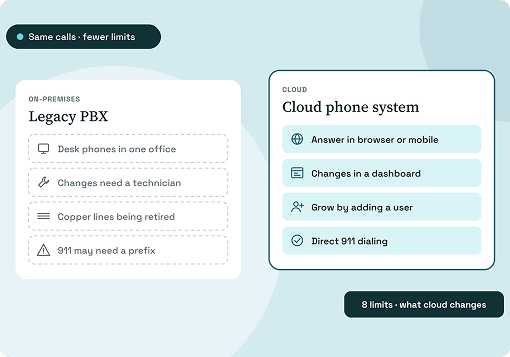
Our guide to legacy phone system limitations covers why on-premises setups are being replaced.
4. Multichannel or omnichannel
A multichannel contact center offers several channels, but each one keeps its own history. An omnichannel contact center connects them, so a customer who emails and then calls doesn't have to start again.
Who works in a contact center
Agents handle the conversations, and supervisors or team leads manage them in real time. Larger contact centers add roles for scheduling, quality and reporting.
Supervisors watch the queue, help agents with difficult conversations, and review calls for coaching. In a small team, the same person can supervise and take calls, so the tools need to work for both roles.
Contact center technology
The technology splits into how conversations reach agents, what agents work with, and what supervisors see. Larger platforms add scheduling and AI on top.
1. Routing and queues
An IVR is the phone menu that sorts callers by what they need, and chatbots or web forms do the same for written channels. A queue holds each contact until an agent is free, and automatic distribution decides who gets it next, whether by who's been idle longest, by skill, or by alerting everyone at once.
A ring group is different: it rings several people together, and the call goes to voicemail if nobody picks up. Good routing also covers overflow, holidays and after-hours contacts, so nothing is left unanswered.
2. Agent workspace
Agents work in a browser, desktop app or mobile app, with the customer's details and history on screen. They add notes, transfer conversations to colleagues, and record the outcome at the end.
3. Supervisor tools
A live dashboard shows how many contacts are waiting, the longest wait, and which agents are free, busy or on a break. Supervisors can listen to live calls, and some systems also let them whisper to the agent or join the call.
Recording and quality review give supervisors real conversations to coach from. They also give the business a record for disputes.
4. Outbound tools
Small outbound teams work from click-to-call and multi-line manual dialing. Larger teams use preview dialers, where the agent reviews a record before dialing, and power or predictive dialers, which dial the next numbers automatically.
5. Integrations, scheduling and AI
A CRM integration logs each conversation against the customer's record automatically. Workforce management forecasts volume and builds shift schedules, and AI tools add transcription, suggested replies and chatbots.
The numbers worth watching
A few numbers show whether customers are getting through. You don't need a full reporting suite to start, but you do need to see these every day.
Service level is the share of contacts answered within a target time, such as 80% of calls within 20 seconds. Abandoned contacts are customers who gave up before anyone answered, and wait time shows how long the rest waited. If these get worse while volume stays flat, look at staffing or routing first.
When you need a contact center
A shared phone number and a shared inbox work while conversations arrive one at a time. Once they overlap, you need a queue and a way to see it.
These are the signs:
- Customers hang up or go quiet before anyone responds, and nobody knows how many.
- You can't see how many people are waiting, or for how long.
- The same few people answer everything while others wait to be asked.
- Managers can't listen to calls or review past conversations.
- Customers repeat themselves when they switch from email to phone.
A platform that combines your business phone system with contact center tools lets you add these to the numbers you already use. Nobody has to learn a second system or lose their call history.
Compliance basics for contact centers
Contact centers deal with rules that an office phone system rarely touches. The basics below apply in the US, and none of this is legal advice.
1. Outbound calling rules
Telemarketing calls can only be made between 8:00 a.m. and 9:00 p.m. at the called person's location, under the FTC's Telemarketing Sales Rule. Sales callers must check their lists against the National Do Not Call Registry at least every 31 days, and prerecorded or autodialed sales calls need the person's prior written consent.
Predictive dialers, which call several numbers per agent, have their own limit. Abandoned calls must stay at or below 3% of answered calls per campaign over each 30-day period, and a call counts as abandoned if it isn't connected to a person within two seconds of the greeting.
2. Recording consent and card payments
Federal law allows a call to be recorded with the consent of one party (18 U.S.C. 2511). Some states, California, Florida, Pennsylvania and Washington among them, require everyone on the call to agree, so play a recording notice before the call connects.
If agents take card payments by phone, PCI guidance says the card's security code must not be stored in recordings after authorization.
3. Caller ID authentication
Voice providers had to implement STIR/SHAKEN by June 30, 2021, under FCC rules. It lets carriers verify that a call comes from the number shown, which matters for outbound teams whose calls could otherwise be flagged.
What a contact center costs and how to choose
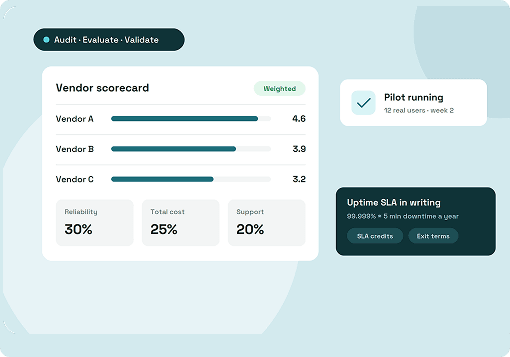
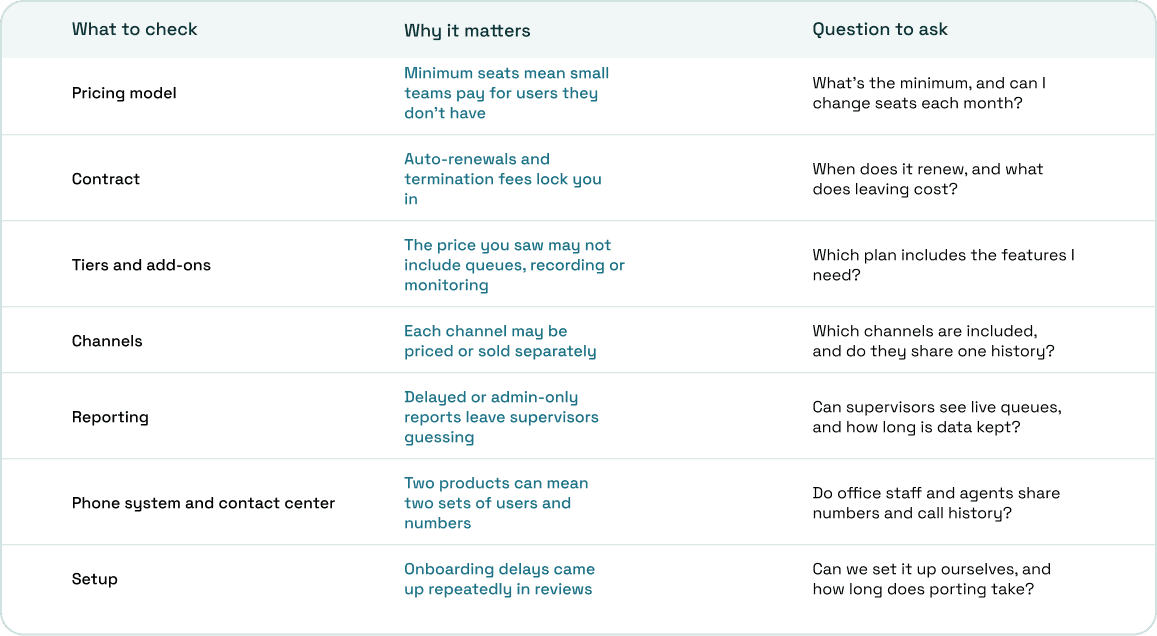
The per-agent price on a pricing page is rarely the whole bill. In the Trustpilot reviews of contact center vendors we read, minimum seats, auto-renewing contracts and features sold as add-ons came up repeatedly.
Contact center calling and a business phone system in one plan
ArcSIP combines a business phone system, contact center calling tools, and remote calling in one platform for teams of 3 to 5,000 users. Office staff and agents share the same numbers, phonebook and call history.
Calls reach the right team through multi-level IVR menus, business hours, special dates and after-hours fallbacks. Team queues ring every available agent at once for a set time, and you can set SLA targets for each number and team.
Supervisors get a live dashboard with alerts for the longest wait in queue, the longest call on hold, missed and dropped calls, and the share of calls answered on time. They can listen to live calls, and Call Journey shows every step a past call took, including transfers and fallbacks.
Agents work in a browser or on the iOS and Android apps, with a five-line dialer, warm and blind transfers, call park, live notes and dispositions. ArcSIP Unlimited costs $29 per user per month, with a three-user minimum, and you can start a 7-day trial with no credit card.
Start with the conversations you're missing
The clearest sign you need a contact center is a number you can check today: how many customers give up before anyone answers. If you can't see that number, that's the first thing to fix.
Decide which channels your customers actually use, then read the contract before you compare features. If the phone is still your main channel, our guide on how to choose a business phone system covers what to compare.