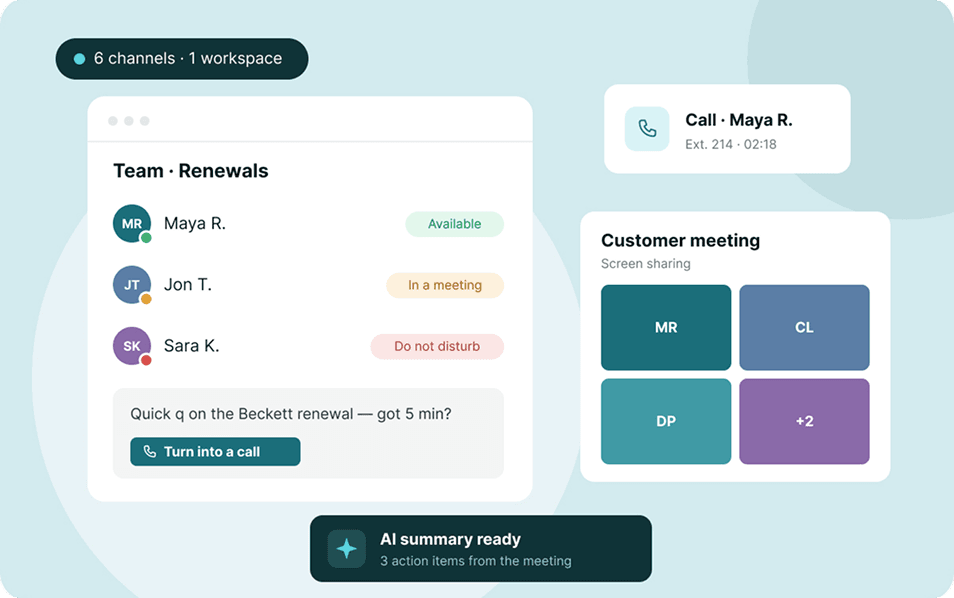




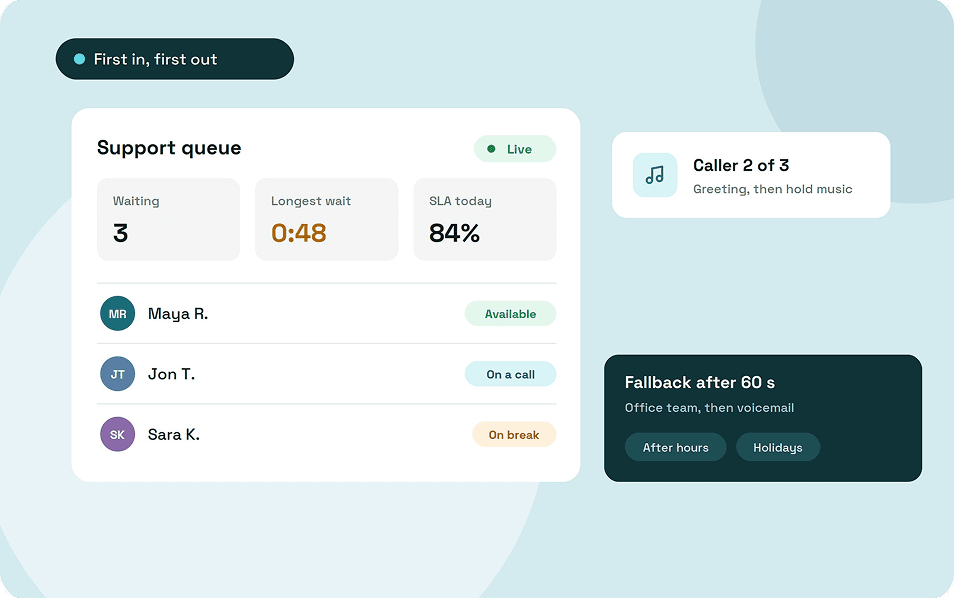
A call queue holds callers in a line when everyone who can answer is busy, then connects each one to the next free person in the order they called. Your business needs one once calls start to overlap and callers end up in voicemail or ringing out during busy hours.
A few settings control what happens to each caller, and the number of people behind the queue decides whether they wait 20 seconds or give up.
Key takeaways
- A call queue holds callers in order until someone is free, instead of sending them to a busy signal or voicemail.
- Each queue decides how calls enter, what callers hear, who gets rung and when the wait ends.
- Your call minutes per hour show the fewest people you need, not the right number.
- Set fallbacks for busy hours, after hours and holidays before you go live.
- Watch the longest wait as well as the average.
What is a call queue?
A call queue is a virtual waiting line for phone calls. It holds callers when nobody is free to answer and connects them in the order they arrived, which phone systems call first in, first out.
Without a queue, a caller who reaches a busy team gets a busy signal or voicemail. With one, they hear a greeting and hold music until the next person is free.
The team sees the other side: how many callers are waiting and how long the oldest one has been on hold. Call center queues, phone queue systems and hold queues all mean the same thing, and a three-person office can use one too.
How a call queue works
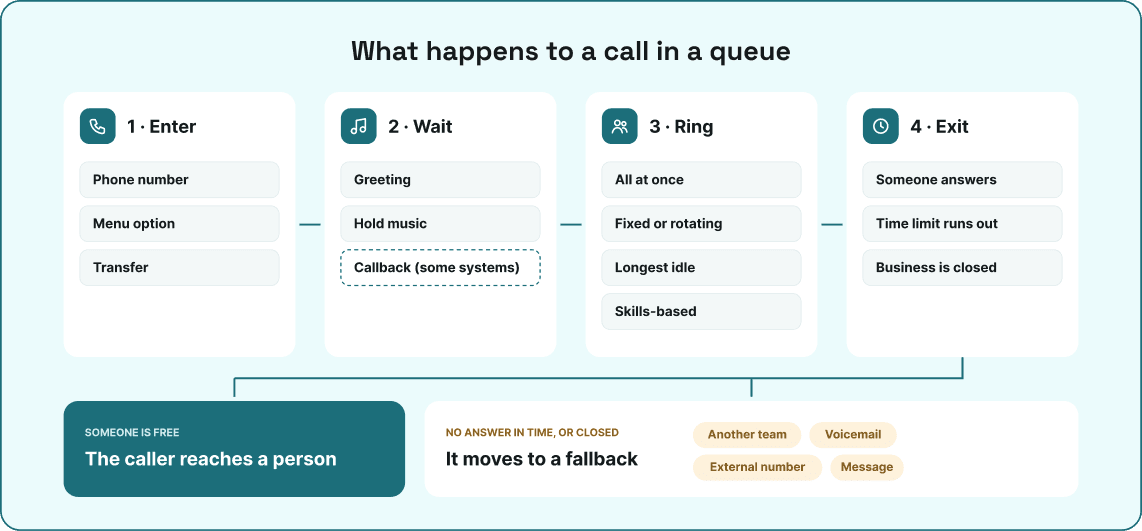
Every call queue answers four questions about each call that reaches it. The answers are the settings you choose when you build the queue.
1. How do calls enter the queue?
Calls reach a queue straight from a phone number, from a phone menu option such as "press 2 for support", or by transfer from a colleague. You can run separate queues for sales and support on the same system, each with its own team and settings.
2. What callers hear while they wait?
The caller hears a short greeting, then hold music or recorded messages until someone picks up. Some systems also announce the caller's place in line or offer a callback, so the caller can hang up without losing their turn.
Keep recorded messages accurate. A promised short wait that turns into ten minutes does more harm than hold music alone.
3. Who gets the next call?
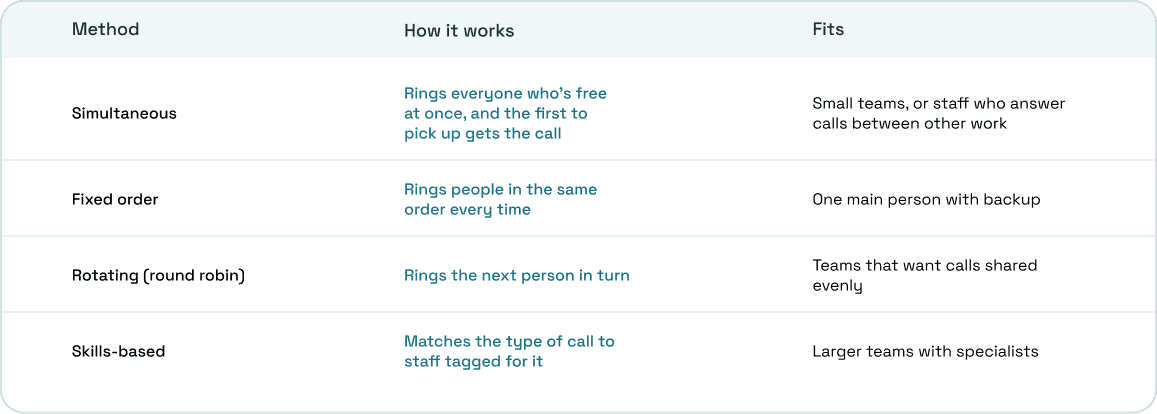
The distribution method decides which free person the queue rings next. The right one depends on the size of your team and whether everyone handles the same kind of call.
4. When the waiting stops?
Every queue needs a rule for the moment it can't connect a caller. The trigger is a time limit, such as a maximum ring time, or the time of day, and the call then moves to a fallback:
- another team, such as office staff who can cover busy periods
- voicemail, with a notification so someone returns the call
- an external number, such as a manager's mobile or an answering service
- a recorded message, then the call ends (best kept for after hours)
Set separate rules for business hours, after hours and holidays.
Call queue vs Ring group vs Phone menu
These three features are easy to mix up because they can sit in the same call flow. The real difference is what each one does when nobody is free.
A ring group rings several phones at once or in order, and if no one answers, the call moves to voicemail or another destination. It doesn't hold the caller, so it suits small teams whose calls rarely overlap.
A phone menu, or IVR, sorts callers by reason before they reach anyone ("press 1 for sales, 2 for billing"). A queue then holds those callers until someone on the right team is free.
In one flow, a caller picks a menu option, waits in that team's queue, and moves to a backup team or voicemail if the wait runs too long.
When your business needs a call queue
The need shows up in your call history before it shows up in complaints. Look for calls that arrive while everyone who could answer is already on the phone.
These signs say it's time:
- Callers reach voicemail during busy hours even though staff are at their desks, on other calls.
- The same two people end up taking the bulk of the calls while others barely get any.
- You can't tell how many callers hung up before anyone answered.
- You're adding a second shift, seasonal staff or a new department to the same number.
When you don't need one yet
A queue doesn't create capacity; it only gives callers somewhere to wait. If one person answers the phone and calls rarely overlap, a ring group and a voicemail that someone returns the same day will do the job.
Adding a queue without enough people behind it makes things worse. Callers still end up in voicemail, only now they've spent minutes on hold first.
How many people does a call queue need?
The minutes of calls you get per hour show the fewest people you need, not the right number. Calls arrive in bunches rather than evenly, so a team sized to the exact workload keeps almost every caller waiting.
Take a line that gets 30 calls an hour, each lasting about four minutes. That's 120 minutes of talking per hour, which looks like work for two people.
We ran this example through Erlang C, the formula contact center planners use to size queues. With two people, there's no slack: any two calls that overlap push the next caller into a wait, and the backlog grows through the hour. Three people answer about 59% of calls within 20 seconds, with an average wait close to two minutes.
Four people answer about 85% within 20 seconds and bring the average wait down to around 20 seconds.
The math assumes nobody hangs up or takes a break, so add time for both. A free Erlang C calculator will run the numbers for your own busiest hour.
How to set up a call queue
Setting up the queue itself takes less time than deciding which calls go where. These steps apply to any cloud phone system that supports queues.
1. Check when your calls arrive
Pull your call history and find your busiest hours and days. Note the main reasons people call, because each reason may need its own queue.
2. Group the people who answer
Put everyone who answers the same kind of call into one team. Then pick a second group, such as office staff, to take overflow when the main team is full.
3. Connect the queue and pick how it rings
Point a phone number or menu option at the team, then choose a distribution method from the table above. Set the ring time long enough for someone to reach the phone, but short enough that the call moves on when nobody does.
4. Record what callers hear
Write a greeting that confirms the caller reached the right place, then add hold music or short messages. Upload the audio before launch so nobody hears silence.
5. Set fallbacks for every hour of the week
Decide where calls go when the wait runs past your limit, after hours and on holidays. Every fallback should end with a person, a voicemail someone checks or a clear message.
6. Set a service level target
Service level is the share of calls answered within a target time. 80% within 20 seconds is the industry standard, so treat it as a starting point and adjust it to your callers.
7. Test before going live
Call the queue from an outside phone before launch. Test each of these situations:
- everyone on the team busy
- nobody answering until the ring time runs out
- a call after hours and another on a holiday
- a wrong key in the phone menu
- a colleague transferring a caller into the queue
How to manage a call queue once it's live
A queue that works in its first week can fall behind as call volume grows or staff change. These numbers show when it happens and what to fix.
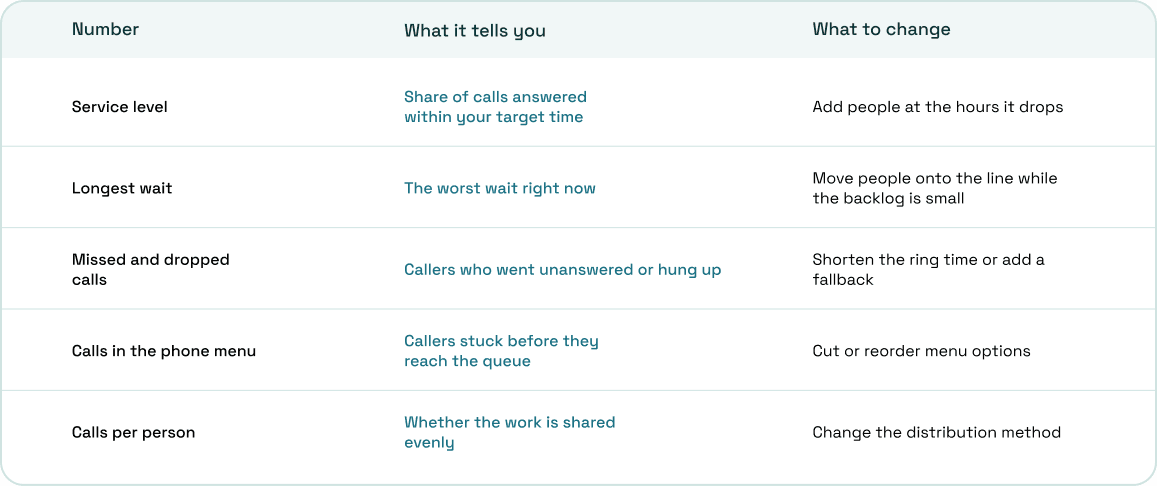
Keep agent statuses accurate
A queue rings the people marked as available. Anyone who steps away while still marked available leaves callers waiting for someone who isn't there, so make setting a break status a habit.
Give urgent callers their own line
You don't need a priority feature to put urgent callers first. Give them a separate number or menu option that leads to its own team, with a shorter ring time and a tighter service level target.
Call queues in ArcSIP
ArcSIP includes call queues in the same plan as its business phone system, so office staff and agents work on one platform. Any team can take another team's overflow, because they're all set up in one place.
- Team queues: point a number or IVR option at a team, and every available member rings at the same time until the team's ring timeout.
- Fallbacks by time of day: during business hours, an unanswered call goes to voicemail, another agent or team, or ends. After hours, it plays a custom message and ends, or forwards to an agent, team or external number, with special dates for holidays.
- SLA targets: set per phone number, with individual and team targets.
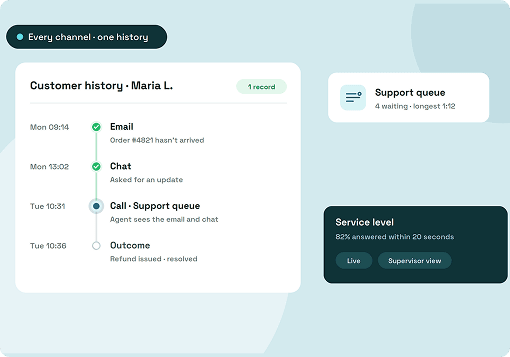
- Live queue view: calls in queue and in the IVR, a longest-wait-in-queue alert, answered on time (SLA) %, missed and dropped calls, and agent statuses.
- Call Journey: every fallback and transfer a call went through, with timestamps and reasons.
ArcSIP Unlimited costs $29 per user per month with a minimum of three users, and includes call queues, music on hold and unlimited call concurrency. You can try it free for seven days without a credit card.
Start with one queue and adjust from the numbers
Your first queue doesn't need to be perfect. It needs a fallback for every hour of the week and a target you can measure it against.
Start with your busiest number and the team that already answers it. After two weeks, check service level and the longest wait at your peak hours, then add people, shorten ring times or change the distribution method based on what you see. Check again whenever you add staff, a department or a new number.