



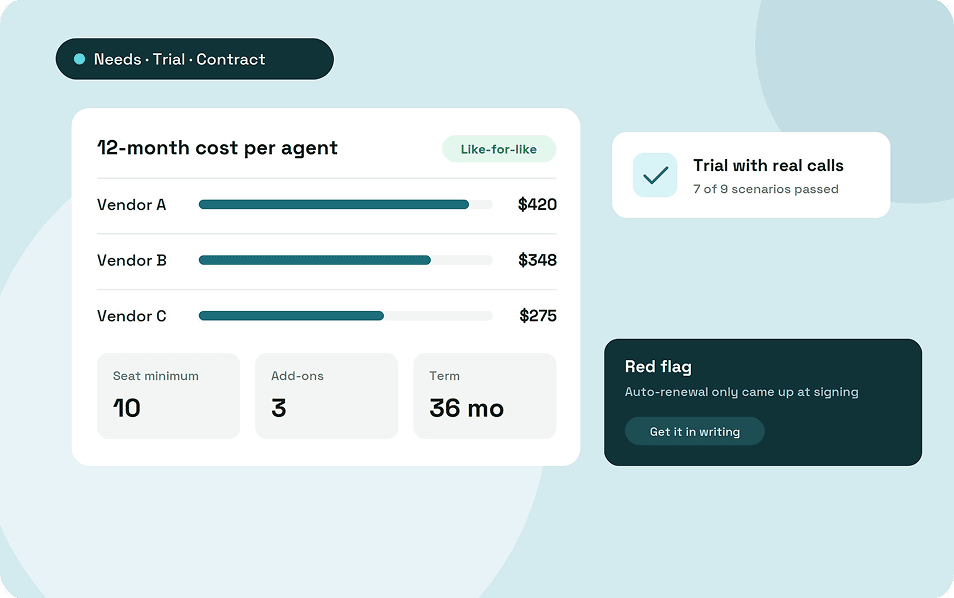
To choose contact center software, start with how your team handles customers, then match features to your team's size and test a shortlist with real calls. Compare the full 12-month cost of each option, not the per-user price on the pricing page.
This guide covers which features matter at each team size, what good looks like in each one, and how to compare quotes that use different pricing. It also gives you the questions to ask vendors, a trial script, a simple scorecard, and the red flags to watch for.
Key takeaways
- Write down how your team works before you look at features.
- A 5-agent support line and a 50-agent outbound team need different tools, so weight features by size.
- Compare quotes as a 12-month cost per agent, including seat minimums, numbers, add-ons and onboarding.
- Get answers on contracts, add-ons, uptime and data export in writing.
- Test real call scenarios in a trial, and check the reports against what actually happened.
Start with how your team handles customers
The right software depends on how calls and messages reach your team today. Write that down before you book a single demo.
Note whether your team takes calls, makes them or does both, and how many contacts arrive in your busiest hour. Count your agents and supervisors, and note where they work, whether in the office, at home or both.
Then list the channels customers actually use and the tools the software must connect to, such as a CRM or helpdesk.
Features to look for, by team size
The same feature can be essential for one team and wasted money for another. Weight each one by how many agents you have and how they work.
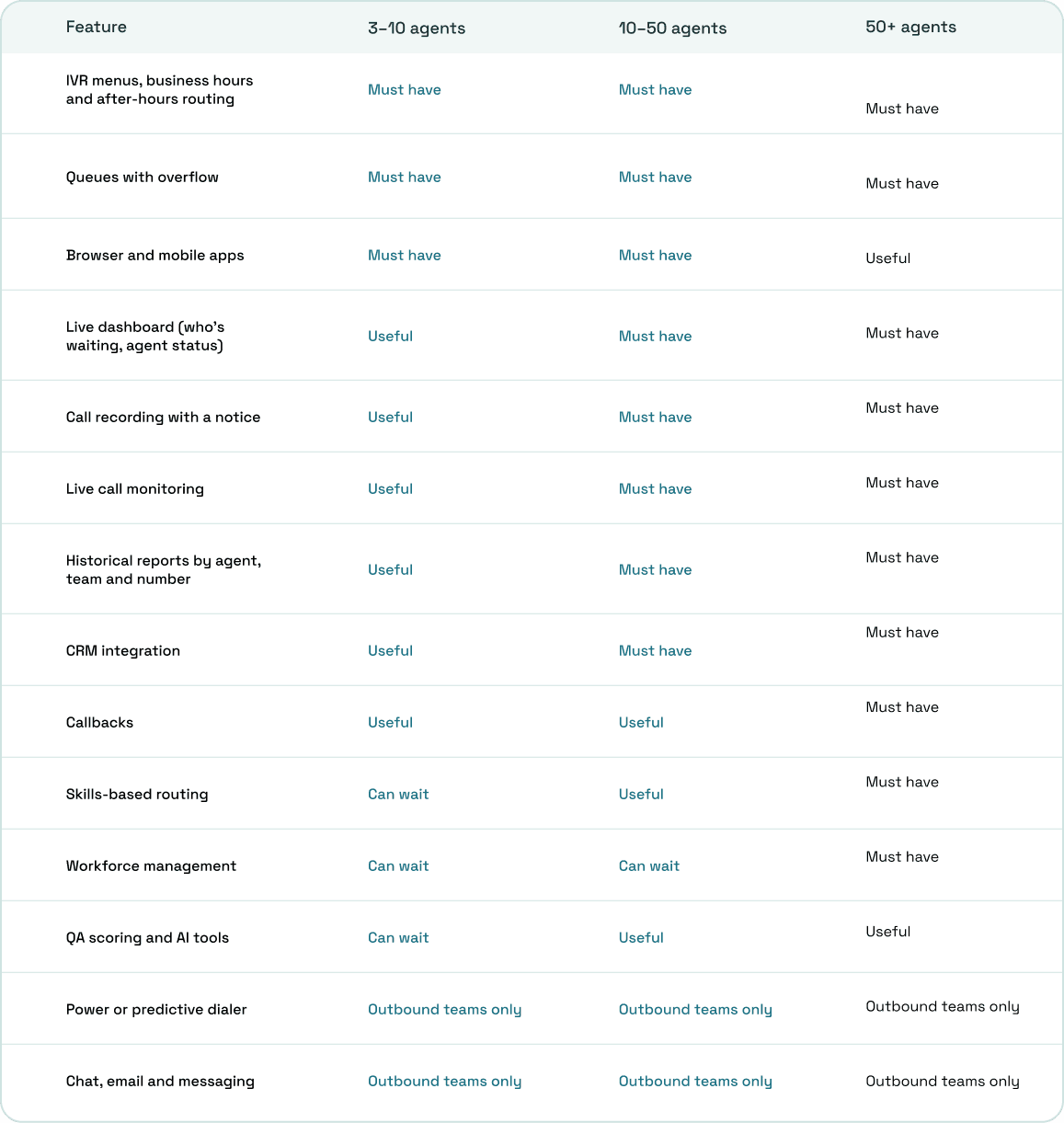
Treat the table as a starting point rather than a rule. A six-person sales team might need a power dialer before a live dashboard, which is why the needs step comes first.
What good looks like in each feature
Two vendors can list the same feature and deliver very different things. These checks separate a feature that works from one that only appears on the pricing page.
1. Routing and queues
Routing decides where every call goes, so check how much of it your team controls. A manager should be able to change business hours, holidays and menu options without opening a support ticket.
Ask what happens when every agent is busy, after hours and on a holiday. Calls should overflow to another team, voicemail or an outside number rather than ringing out.
2. Agent workspace
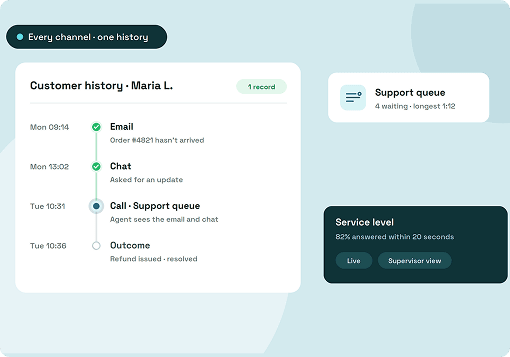
Agents spend their whole shift in this screen, so it needs to be quick to use. Look for the caller's details and past calls on screen as the call rings, with notes and outcomes saved against each call.
Ask whether notes travel with a transferred call, and whether agents can answer in a browser without installing anything.
3. Supervisor tools
Supervisors need to see problems while they're happening, not in tomorrow's report. Look for a live view of the queue, agent status and the longest wait, with alerts when waits run long.
Check which monitoring modes you get: listen, whisper to the agent, or barge into the call. Also check whether supervisors can be limited to their own teams.
4. Reporting you can trust
Reports drive staffing and coaching decisions, so the numbers need to be right. Reports that disagreed with each other came up repeatedly in the community threads we read.
Ask how the system counts abandoned calls, whether a transferred call counts once or twice, and whether live and historical numbers match. Then test it yourself during the trial.
5. Integrations and AI
An integration is only useful if data moves both ways. A native CRM integration that syncs notes and call outcomes saves agents from copying details by hand, while a generic connector may only log the call.
Test AI features on your own calls before paying for them. If your team takes a few calls a day, transcription and agent assist can wait.
One system or two: office phones and the contact center
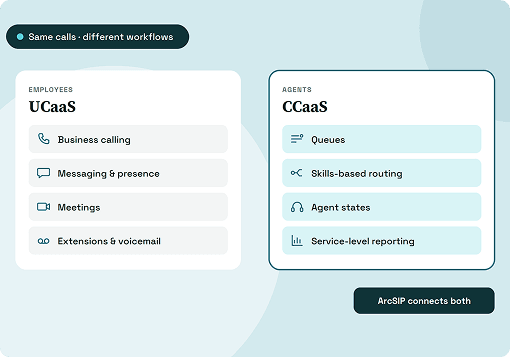
Some vendors sell the business phone system and the contact center as separate products. That choice shapes your costs, your admin work and how calls move between teams.
Two systems mean two admin consoles, two sets of users and numbers, and transfers that cross from one product to the other. Community threads we read describe agent status not syncing between the two.
One communication system lets office staff and agents share numbers, contacts and call history, so a call can move from reception to the support queue without changing platforms. Two systems can still make sense for a large contact center that needs enterprise workforce management or channels a combined platform doesn't offer.
Compare quotes like-for-like
Vendors price on different bases, so headline prices rarely compare directly. Turn every quote into the same number before you decide.
Per-user pricing charges a monthly fee for everyone on the system, which suits teams where most staff take calls. Per-agent pricing charges more for contact center seats only, so office users can sit on a cheaper plan.
Concurrent pricing charges for the agents logged in at the same time, which suits shift-based teams. Usage-based pricing charges per minute or per hour, which suits seasonal or low-volume lines.
On the pricing pages and comparison guides we reviewed, seat minimums ran from 2 to 50 seats, and contract terms went up to 36 months. Both change what a small team actually pays.
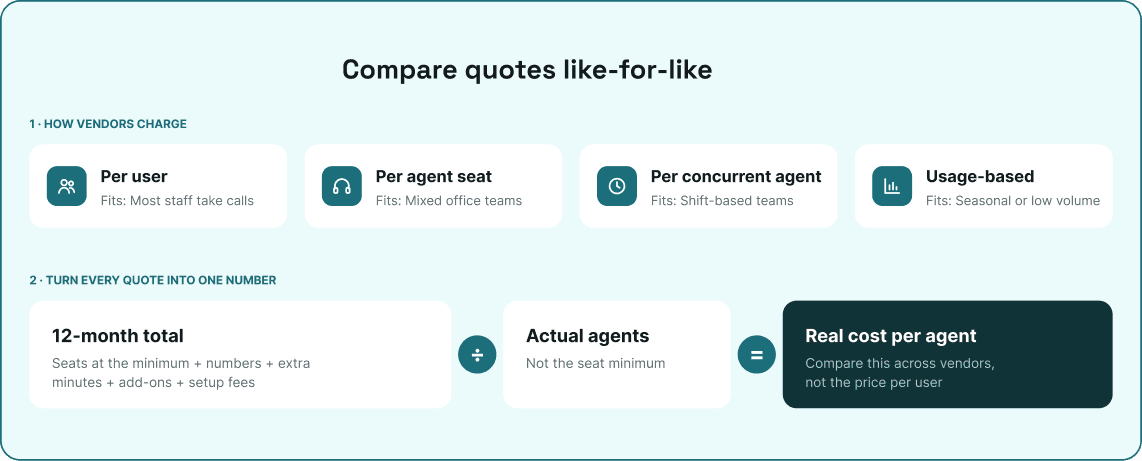
To compare, add up 12 months of seats (at the seat minimum if it's higher than your headcount), numbers, minutes outside the plan, add-ons such as dialers, recording storage and AI, and any setup or onboarding fees. Divide the total by your actual number of agents.
As an example of the method, 10 users on ArcSIP at $29 each come to $290 a month, or about $229 a month on annual billing at 21% off. Porting and caller ID registration are add-ons, and extra numbers and international calls come from a prepaid balance.
Questions to ask every vendor
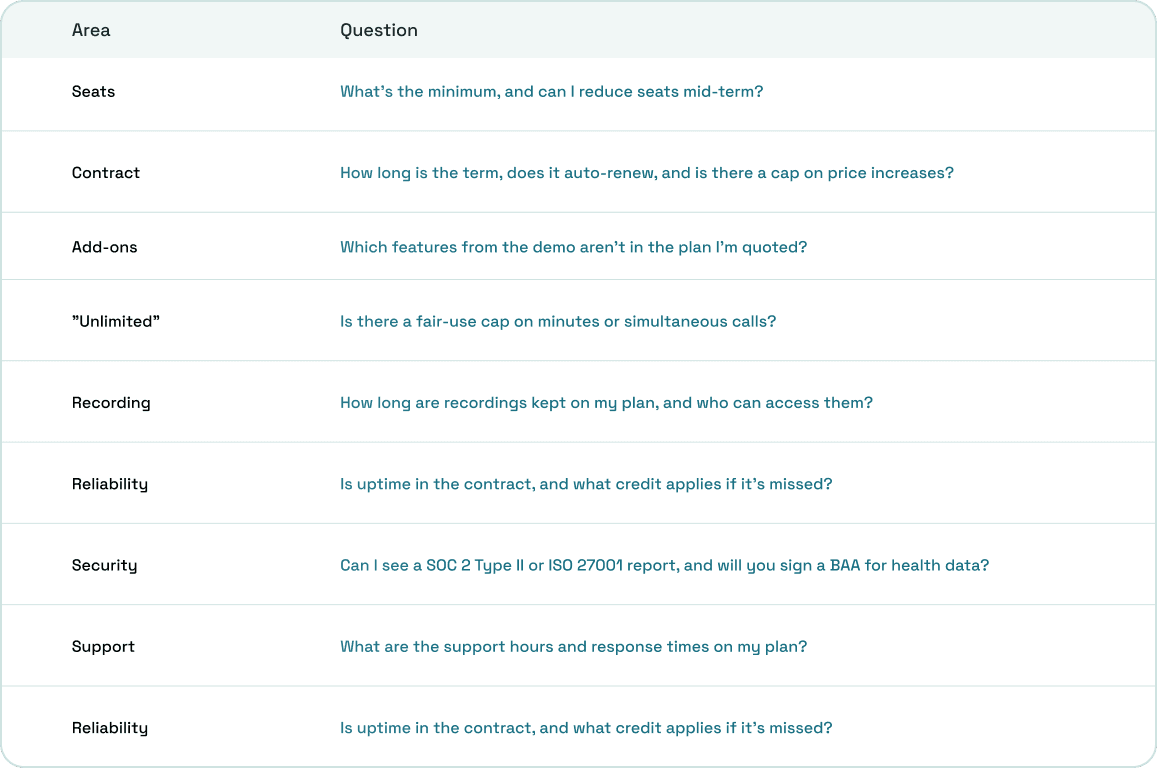
Send every vendor the same questions in writing. Then check the first invoice against their answers.
Run a trial with real calls
A demo shows the software at its best, while a trial shows how it handles your calls. Run these scenarios on one team before you move every number.
- Call after hours and on a holiday you've set. The right message plays or the call forwards.
- Call when every agent is busy. The caller waits in the queue, then overflows as set.
- Transfer a call to a colleague and to an outside number. The caller stays connected and the notes go with the call.
- Answer on the mobile app over mobile data. Audio is clear on both ends.
- Have a supervisor watch the queue and listen to a live call. They see it as it happens, and the agent isn't interrupted.
- Call a mobile from your business number. Your number and business name show.
- Call a user with recording turned on. The notice plays first, and the recording appears in the call history.
- Ask an admin to change holiday hours without contacting support. It takes minutes.
- Count your test calls, then open the reports. The numbers match what you did.
Keep your old service live until any number port completes. Our guide on migrating from a legacy PBX covers the port step by step.
Score vendors side by side
A weighted score keeps the decision on your priorities rather than on the best demo. Score each vendor from 1 to 5 on every criterion, multiply by the weight, and add up the results.
Pick six to eight criteria, such as routing and call handling, supervisor tools and reporting, ease of admin, 12-month cost, reliability and support, and contract flexibility. A support line might put a quarter of the weight on routing and a fifth on supervisor tools and reporting.
An outbound team would weight things differently, with a quarter on the dialer and caller ID and a fifth on CRM integration. The weights should add up to 100%.
Set the weights before you see any demos, so the scores reflect what you need rather than what impressed you on the day.
Red flags in demos and sales calls
Some warning signs show up before you sign. Any one of them is a reason to ask more questions.
- The demo follows the vendor's script, and they won't set up your call flows.
- Features from the demo aren't on the plan you're quoted.
- Contract length or auto-renewal only comes up at signing.
- There's no written answer on data export or retention after you cancel.
- Uptime appears as a marketing figure, not a contract term.
Contact center calling and your phone system on one plan
ArcSIP combines a business phone system, contact center calling tools and remote calling in one platform for teams of 3 to 5,000 users. Office staff and agents share the same numbers, phonebook and call history.
There's one plan, with no feature tiers. Queues, SLA targets, a live dashboard with alerts, live call listening, call recording with a notice, Call Journey and reports by number, user and team are all part of ArcSIP Unlimited.
Admins change call flows, business hours, special dates and SLA targets themselves, and agents can transfer calls to another agent, a team or an outside number. There's no limit on how many calls run at once, and calling within the US and Canada is unlimited.
Teams of 15 or more users get premium onboarding and a dedicated account manager. ArcSIP Unlimited costs $29 per user per month with a three-user minimum, and you can start a 7-day trial with no credit card.
Buy for the team you have and the one you're becoming
The right contact center software fits how your team works now and still fits after your next round of hiring. Start from how customers reach you, weight features by size, and test with real calls.
Then read the contract as closely as the feature list. If you're still deciding what a contact center needs to include, our guide on what a contact center is covers the basics.