



UCaaS brings business calling, video meetings, messaging, and SMS into one cloud platform. However, choosing a UCaaS platform is harder than it sounds, because most providers offer similar features at different prices. So, reliability and fit become important differentiators.
A good UCaaS platform keeps calls, meetings, and messages in one reliable app, connects to the tools your team already uses, and scales without surprise costs. To choose one, map your team's needs first, shortlist providers that meet them, compare full contract costs and uptime, then test your top pick with real users.
Key takeaways
- Know your needs before you look at vendors: who uses the system, how often and from where.
- Separate must-have features from nice-to-haves so you don't pay for tools nobody uses.
- Look at cost over the full contract, including fees, add-ons and AI features.
- Get uptime, support and exit terms in writing.
- Run a short pilot with real staff before you commit.
What is UCaaS?
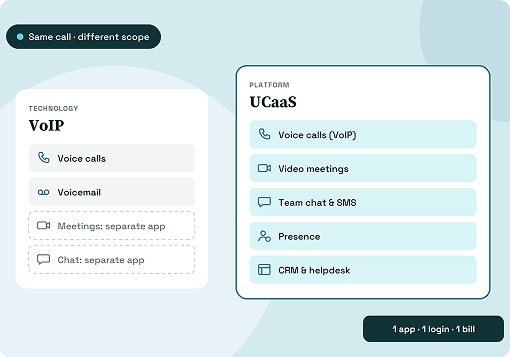
UCaaS (unified communications as a service) is a cloud platform that brings business calling, video meetings, team messaging, and SMS into one app. The provider hosts and maintains the system, and your team uses it on desktop, mobile or in a browser.
Instead of paying for a phone system, a meeting tool, and a chat app separately, you pay one subscription per user. The provider handles updates and security patches, so there's less on-site hardware to maintain.
How to evaluate a UCaaS platform for your business
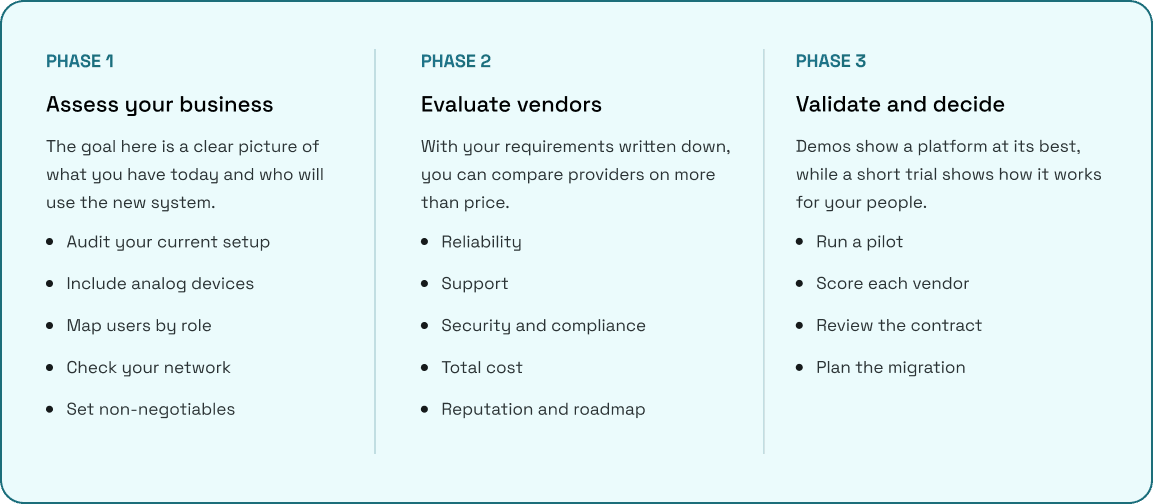
A feature checklist tells you what a platform can do, not whether it suits your team, network and budget. Work through these three phases in order, starting with your own business before you look at any vendor.
Phase 1: Assess your business
The goal here is a clear picture of what you have today and who will use the new system.
1. Audit your current setup
List every tool your team uses for calls, meetings and chat, including apps people adopted on their own. Note contract end dates, monthly costs and hardware such as desk phones.
2. Include analog devices
Fire alarms, elevator phones, fax machines and door entry systems may still run on phone lines. A UCaaS platform may not support these directly, so plan for them separately.
3. Map users by role
A receptionist, a field technician and a sales rep need different tools. Grouping users this way helps you avoid paying for features nobody uses.
4. Check your network
Voice and video quality depend on bandwidth, latency and jitter. Ask for a network assessment, and plan a backup internet connection for critical sites.
5. Set non-negotiables
Decide which compliance needs, such as HIPAA, PCI DSS or data residency rules, rule a vendor out before any demo.
Phase 2: Evaluate vendors
With your requirements written down, you can compare providers on more than price.
6. Reliability
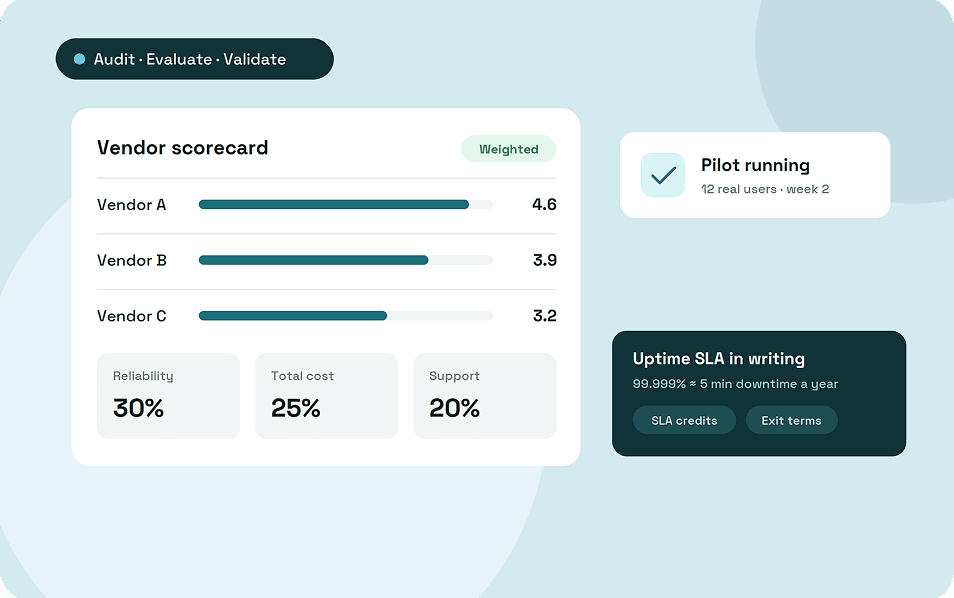
Ask for the uptime SLA in writing and how credits work if it's missed. For context, 99.999% uptime allows about 5 minutes of downtime a year, while 99.99% allows about 53 minutes. Definitions of downtime differ, so read the fine print.
7. Support
Confirm support hours, response times for your plan tier, and whether onboarding help is included.
8. Security and compliance
Look for encryption in transit and at rest, role-based access, audit logs and certifications such as SOC 2 or ISO 27001.
9. Total cost
Price the full contract term, not just the monthly seat. Factor in taxes and regulatory fees, international calling rates, number porting, new devices, AI add-ons and recording storage. Setup, training and early termination fees belong in the total too.
10. Reputation and roadmap
Read reviews from companies of your size and industry. Ask what the provider plans to release over the next 12 to 18 months.
Phase 3: Validate and decide
Demos show a platform at its best, while a short trial shows how it works for your people.
11. Run a pilot
Include non-technical staff, remote workers, and someone who handles high call volumes. Agree on success criteria, such as call quality and ease of use, before it starts.
12. Score each vendor
Weight your criteria by importance and score each shortlisted provider. This keeps the decision grounded when sales conversations get persuasive.
13. Review the contract
Check price increase limits, SLA credits, exit terms, number ownership and how you can export your data if you leave.
14. Plan the migration
Timelines depend on company size, number of sites and number porting. Agree on a phased rollout, a porting date and a training plan with the provider.
What Features a Good UCaaS Platform Should Have
Feature lists can run to hundreds of items, so separate what every business needs from what only some teams will use. Start with the must-haves, then add the extras your team audit points to.
Must-have features
These cover the day-to-day work of most teams:
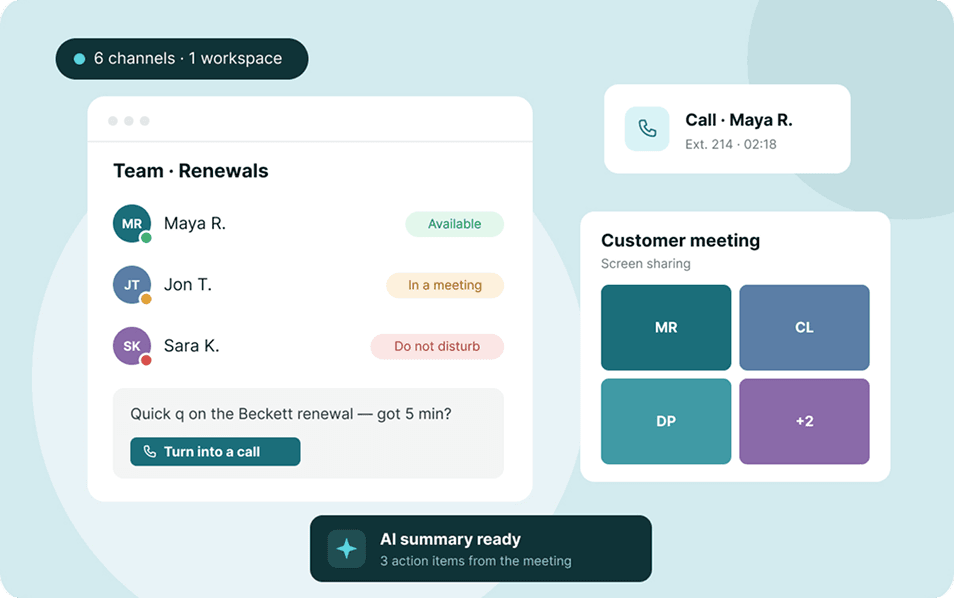
- One unified app: Calling, video, messaging and SMS under one login, with the same features on desktop, mobile and browser.
- Calling essentials: Number porting, auto attendant and IVR, call queues, ring groups, call forwarding and voicemail-to-text.
- Emergency calling: Support for emergency calling rules where you operate. In the US, for example, this includes Kari's Law and RAY BAUM'S Act requirements.
- Video meetings and team chat: Screen sharing, recording, and persistent chat channels with file sharing.
- Admin console: One place to add users, assign numbers, set permissions and manage devices.
- Security basics: Encryption, single sign-on (SSO) and multi-factor authentication (MFA).
AI features
AI tools are increasingly common in UCaaS plans, but what's included varies widely. Look for features that save time on repeated tasks:
- Call and meeting transcription
- Automatic summaries and action items
- Real-time translation
- AI receptionists that answer and route calls
Before weighing these, ask whether AI is included in your plan or sold as an add-on. Also ask how the provider stores and uses your call data.
Integrations
A UCaaS platform works best when it connects to the tools your team already uses. Common integrations like Salesforce, HubSpot, Zoho, Microsoft 365, Google Workspace, Slack, Zendesk, and Freshdesk are non-negotiable for most companies.
If your team lives in Microsoft Teams, ask whether the provider supports Teams calling through Direct Routing or Operator Connect. For custom workflows, check for open APIs and webhooks.
Features that depend on your needs
Some features matter a lot to certain teams and very little to others:
- Business texting: Useful for sales and support. In the US, texting from local business numbers generally requires 10DLC registration, so ask whether the provider helps with it.
- Multi-location support: Shared directories, extension dialing between sites and central policy controls.
- Analytics: Call volumes, missed calls, call quality and usage reports.
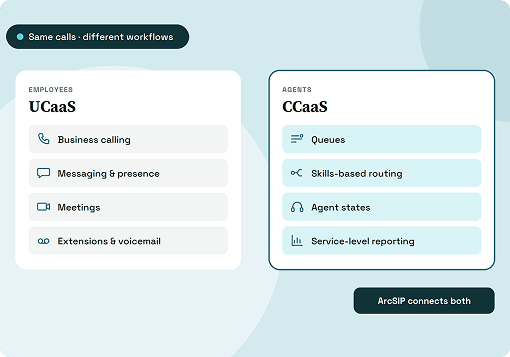
- Contact center path: If you have customer-facing teams, check whether the provider offers contact center tools in the same app or through an integration.
Why the right UCaaS platform matters
Most UCaaS platforms can make and receive calls. The differences show up in how well the platform fits your workflows, how it handles growth, and what it costs to leave if it doesn't work out.
1. Fewer tools to manage
Separate tools for calls, meetings and chat mean separate contracts, logins and bills. Consolidating them gives IT one admin console and one vendor to contact when something breaks.
2. A consistent experience wherever people work
If the mobile app lacks features the desktop version has, people tend to fall back on personal phones and unapproved apps. Matching features across devices keeps conversations, and customer data, in one place.
3. Better customer conversations
Customers move between calls, texts and emails. When your platform keeps that history together and routes calls to the right person, customers don't have to repeat themselves.
4. Switching later is costly
UCaaS contracts often run for multiple years. A poor fit can mean a second migration, rebuilt integrations and retraining, so the evaluation stage deserves time.
Common mistakes to avoid when choosing a UCaaS platform
Most buying mistakes come from rushing the process or judging a platform on the demo alone. Watch out for these:
- Comparing the price per seat alone: A lower monthly price can cost more once fees, add-ons, and storage are included.
- Skipping the network check: Even a strong platform will sound poor on an unstable connection.
- Forgetting analog devices: Alarms and elevator phones are easy to miss until the old lines are switched off.
- Skipping the pilot: Usability problems often only appear when real staff use the system.
- Buying licenses for everyone at the top tier: Many users only need basic calling and chat.
- Not reading the exit terms: Know what it costs to leave, and how you keep your numbers and data.
ArcSIP: One platform for every business conversation
Most of the criteria in this guide come back to fewer tools, clearer visibility and a platform your team will actually use. ArcSIP is a secure communication platform built around that idea.
Every channel in one place
ArcSIP brings voice, email, live chat, social media and messaging apps into a single platform. Your team handles every customer conversation from one workspace instead of switching between tools. That means fewer vendors, logins and bills to manage.
Real-time visibility into calls and queues
ArcSIP's live dashboard shows call counts, queue depth, SLA performance, and missed and dropped calls on one screen. Managers can spot a growing queue or a dip in service levels as it happens, not in next week's report. Team performance sits on the same screen, so coaching and staffing decisions rest on current data.
Built for teams that live on the phone
ArcSIP is designed for businesses where calls drive revenue and customer satisfaction, such as sales, support and service teams. If response times shape how customers see you, a platform built around live call operations is a strong fit.
Final thoughts
Choosing a UCaaS platform is less about finding the longest feature list and more about fit. The right choice matches your users, your network and your budget, and still works as your team grows.
Start with an honest audit of how your team communicates today. Shortlist providers that meet your must-haves, compare them on full contract cost and reliability, and let real users test the finalists before you sign. Time spent up front is what saves you from a second migration later.