



A business phone system is the setup that connects a company's phone numbers to its people. It decides where each incoming call goes, rings the right person or team, sends unanswered calls to voicemail or a colleague, and keeps a record of every call.
Most companies now run a cloud business phone system, where the provider hosts everything and staff answer calls from a browser or a mobile app.
This guide covers how a business phone system works, the main types, the features worth paying for, and what to check before you buy. And most importantly, what happens once your calls need a queue and someone to watch it.
Key takeaways
- A business phone system routes calls to the right people, handles the calls nobody answers, and logs every call.
- Most small businesses now use VoIP, where calls travel over the internet instead of copper lines.
- The types differ on two things: where the system runs, and how much of your call work it covers.
- Queues, live monitoring, and SLA targets usually cost extra. Check what sits in the base plan before you compare prices.
What is a business phone system?
A business phone system is software, and sometimes hardware, that lets a group of people share phone numbers and handle calls as a team. Your customers dial one number. The system works out who should pick up.
That's the main difference from a personal phone. A small business phone system usually gives you:
- One main number that several people answer, plus direct numbers for some staff
- Extensions, so colleagues can call each other with a short code
- Call routing, which sends callers to sales, support or a specific person
- Business hours, so after-hours callers hear a message instead of endless ringing
- Voicemail and a full call history
Business phone system vs a business phone number
A virtual number that forwards to your mobile is a number, not a system. It rings one phone and stops there. Once two or more people need to share calls, transfer them or see who called, you need an actual phone system behind the number.
How does a business phone system work?
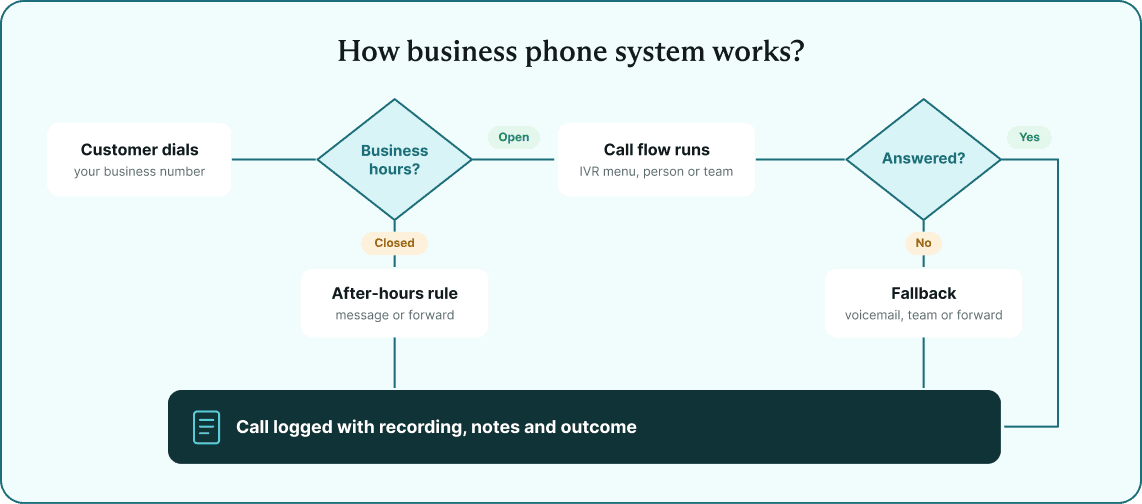
Every call follows a path you set up in advance. Here's what happens when a customer calls a VoIP business phone system:
- The carrier passes the call to your phone provider.
- The system checks the time against your business hours and holidays.
- Your call flow runs. It might play an IVR menu ("press 1 for sales"), ring one person, ring a whole team, or forward the call to another number.
- The phone rings on whatever that person uses: a browser, a mobile app, or a desk phone.
- If nobody answers, a fallback takes over, such as voicemail, another team, or an external number.
- The call lands in your call history with its recording, notes, and outcome.
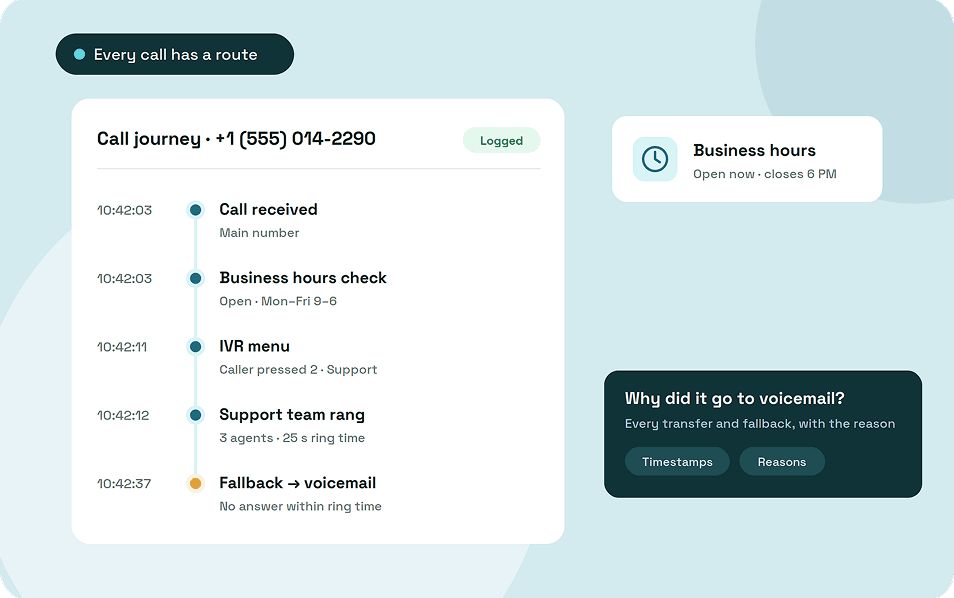
A standard call log shows who called and how the call ended. ArcSIP's Call Journey shows every step in between, with timestamps and the reason for each transfer or fallback, so you can see exactly why a call ended up in voicemail.
Analog vs VoIP
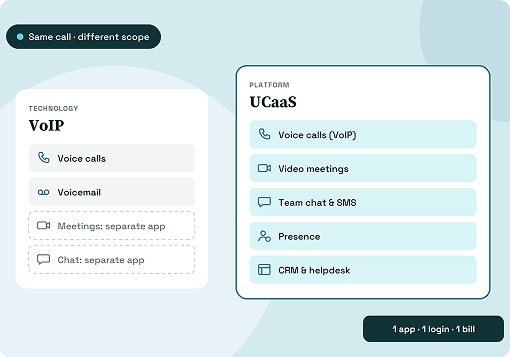
Analog phones carry voice over copper lines. VoIP turns your voice into data and sends it over the internet, which is why a VoIP phone system for small business needs no phone lines installed, only a stable connection.
What a "line" means now
On a cloud system, numbers, users, and lines are separate things. You might have two numbers, ten users, and each user handling several calls at once. In ArcSIP, every user gets a five-line dialer, and the account has no cap on calls running at the same time.
Types of business phone systems
Business phone systems differ on where the system runs and how your calls travel. Each type below suits a different size of business and a different budget.
1. Key system unit (KSU)
A KSU is a small box in the office that lets a handful of desk phones share a few outside lines. Anyone can pick up any line, but the system can't route calls intelligently or follow staff home.
2. On-premises PBX
In an older business phone system, PBX hardware sat in a server room and handled extensions, transfers, and menus. Newer IP-PBX models run on the office network instead of copper lines. You own and control the setup, though you pay upfront for the equipment and for someone to maintain it.
3. Hosted or cloud PBX
A provider runs the PBX in its own data centers and delivers the features over the internet for a monthly fee per user. There's no hardware to buy, and staff can answer from a browser or app wherever they work. A cloud-hosted PBX phone system for small business replaces the server room with a login.
4. Virtual phone system
A virtual phone system gives you a business number that forwards calls to your staff's existing mobiles. It suits a solo founder or a two-person team, but you'll outgrow it once you need extensions, a queue or a proper call history.
Business phone system features
Most features fall into a few groups, and those groups tell you a lot about which plan you'll end up paying for. Here's what each one does.
Call routing, IVR and call forwarding
Call routing decides where each call goes, whether that's one person, a team, or a menu. An IVR is that menu: callers press 1 for sales or 2 for support, and larger teams can add submenus. Call forwarding sends calls to another number entirely, such as a mobile or a partner's line.
Business hours and after-hours rules
You set your opening hours once, along with special dates like public holidays. Outside those hours, the system follows a separate rule, such as playing a closing message or forwarding calls to whoever is on duty.
Transfers, conference calls and call park
A warm transfer lets you brief a colleague before handing the caller over, while a blind transfer sends the call straight through. Conference calling brings a third person into a live call. Call park moves a call into a parking slot so a colleague can pick it up from another device using a code.
Voicemail and call recording
When nobody answers, voicemail takes a message with your own greeting, and many systems email you when a new one arrives. Call recording saves conversations for training or disputes, with an optional notice that tells callers they're being recorded.
Call queues and SLA targets
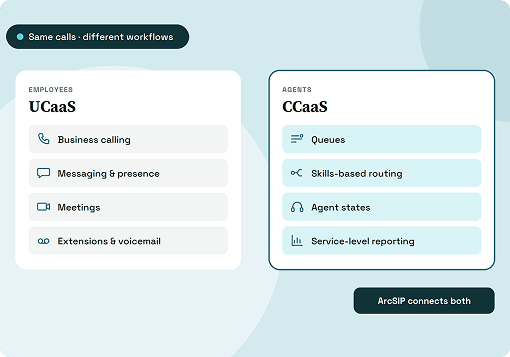
A call queue holds callers in line until someone on the team is free, instead of sending them to voicemail. An SLA target sets how fast calls should be answered, so you can see what share of calls met it. These two features mark the line between a basic phone system and a contact center.
Live dashboards and call monitoring
A live dashboard shows how many calls are waiting, the longest wait, and which agents are free or on a break. Call monitoring lets a supervisor listen to a live call for coaching or quality checks.
Browser calling, mobile apps, and team chat
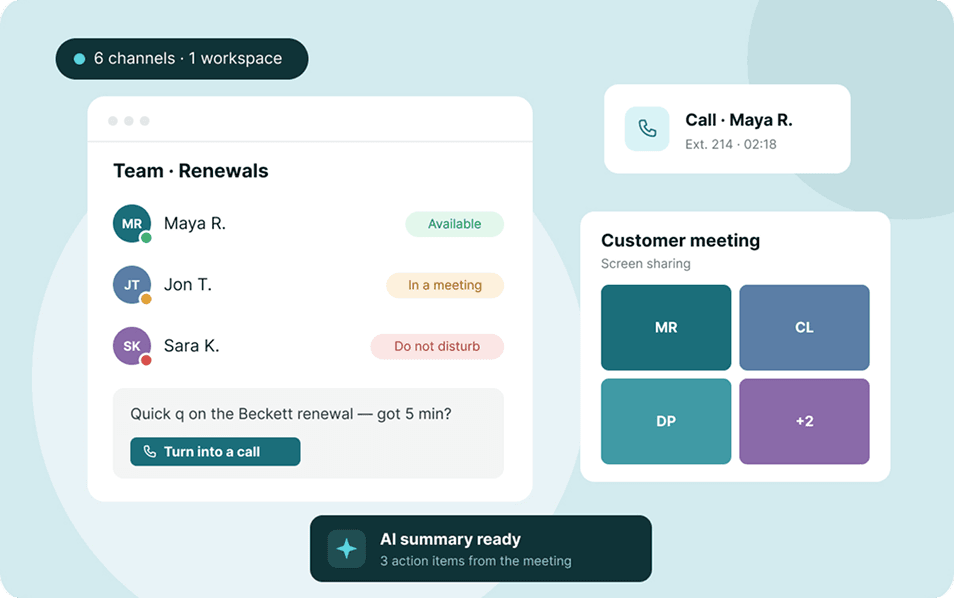
A cloud system lets staff take calls in a web browser or a mobile app using the same business number. Many also include internal chat, so a colleague can answer a quick question during a call without anyone leaving the workspace.
On many VoIP business phone systems, queues, SLA targets, dashboards and monitoring cost extra or come as a separate contact center product. ArcSIP includes every feature above in one plan, so office staff and support agents work in the same workspace.
Benefits of a business phone system
Features describe what the system does. The benefits are what change for the business once it's running.
- Fewer lost leads: A sales call that rings out often goes to whoever answers next. When every call has a route and a fallback, fewer prospects slip away.
- Lower setup and running costs: A cloud system replaces hardware, phone lines and maintenance contracts with a monthly fee that grows only when your team does.
- A bigger presence than your headcount: A call menu and your business name on caller ID make a five-person company sound established.
- Continuity when people change: Your numbers, contacts and call history stay with the company when staff leave, and calls follow people who work from home.
- Decisions based on real numbers: Missed calls, wait times and SLA results show you when to hire, adjust opening hours or retrain a team.
- Protection in disputes: Recordings and call logs give you a record of what was said and when.
What to look for in a business phone system
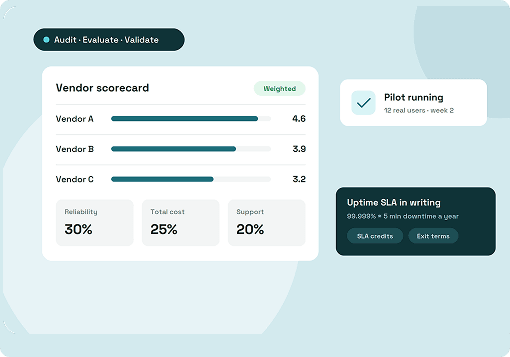
Price per user tells you very little until you know what that price includes. Ask each provider these questions before you compare numbers.
1. What's in the base plan?
Queues, live monitoring, call recording and reports are the features most often held back for a higher tier or sold as a separate product. If you'll need them within a year, price that plan, not the entry one.
2. Will it still fit when the team doubles?
A three-person team might only ring everyone at once, but later you'll want a queue and a supervisor who can listen in. Switching systems at each stage costs you time and your call history.
3. Do office staff and agents work in the same place?
Separate tools mean separate contact lists, separate chats and separate call logs. With one workspace, a call transferred from support to accounts keeps its notes, and both teams see the same history.
4. Can you control your numbers?
Check that you can buy local and toll-free numbers and port your existing number from your current provider. Caller ID registration (CNAM) matters too, so customers see your business name instead of a bare number.
5. What happens when nobody answers?
Every call flow should have a fallback, such as voicemail, another team or an external number. Look for separate after-hours rules as well, so late callers hear a message instead of ringing out.
6. Can you trace a single call?
Reports by team and number show trends, but sometimes you need to know why one customer never got through. A step-by-step record of each call, with every transfer and fallback, answers that question directly.
7. Can you test it first?
A good trial lets you build a real call flow and send live calls through it. Check whether it asks for a credit card and how many users and numbers it includes.
How much does a business phone system cost?
Most cloud providers charge a monthly fee per user, with higher tiers unlocking more features. The headline price is rarely the full bill, though. These are the costs that push it up:
- Upgrading to a higher tier to unlock queues, monitoring or reports
- Buying a separate contact center product for your support team
- Extra phone numbers, international calls and number porting
- Branded caller ID, which some providers charge per call
ArcSIP Unlimited costs $29 per user per month with a three-user minimum, or 10% less on quarterly billing and 21% less on annual billing. Extra numbers, international calls and caller ID registration come out of a prepaid balance you can top up automatically.
When you outgrow a basic phone system
A small business phone system that worked for five people can start to creak at fifteen. These are the usual signs:
- Callers wait on hold and nobody can see how long.
- Missed calls pile up with no one responsible for calling back.
- You've added a second tool just for the support line.
- Nobody can explain where a dropped call went.
Each one points to the same gap: you need contact center tools, ideally without changing systems.
ArcSIP puts the business phone system, the contact center tools and remote calling in one workspace under one plan, so office staff take direct calls, agents work the queue and supervisors watch both from the same dashboard.
It's built for teams of 3 up to 5,000 users, so you can start by ringing your team and add queues, SLA targets and live monitoring later without moving platforms. The 7-day trial needs no credit card and includes a free number.
Pick a system you won't have to replace
A business phone system shapes what every caller experiences, including what happens when nobody is free to answer. For most small teams, a cloud business phone system is the sensible starting point, with no hardware to maintain and calls that follow staff wherever they work.
The bigger decision is what comes next. Before you sign, map how your calls move today and how they'll need to move once you add a support line or a supervisor. Then choose a system that covers both stages in the same plan, so growing your team never means changing your phones.